How to Download and Install the NordVPN App on Windows 11: Quick Guide, Tips, and Troubleshooting
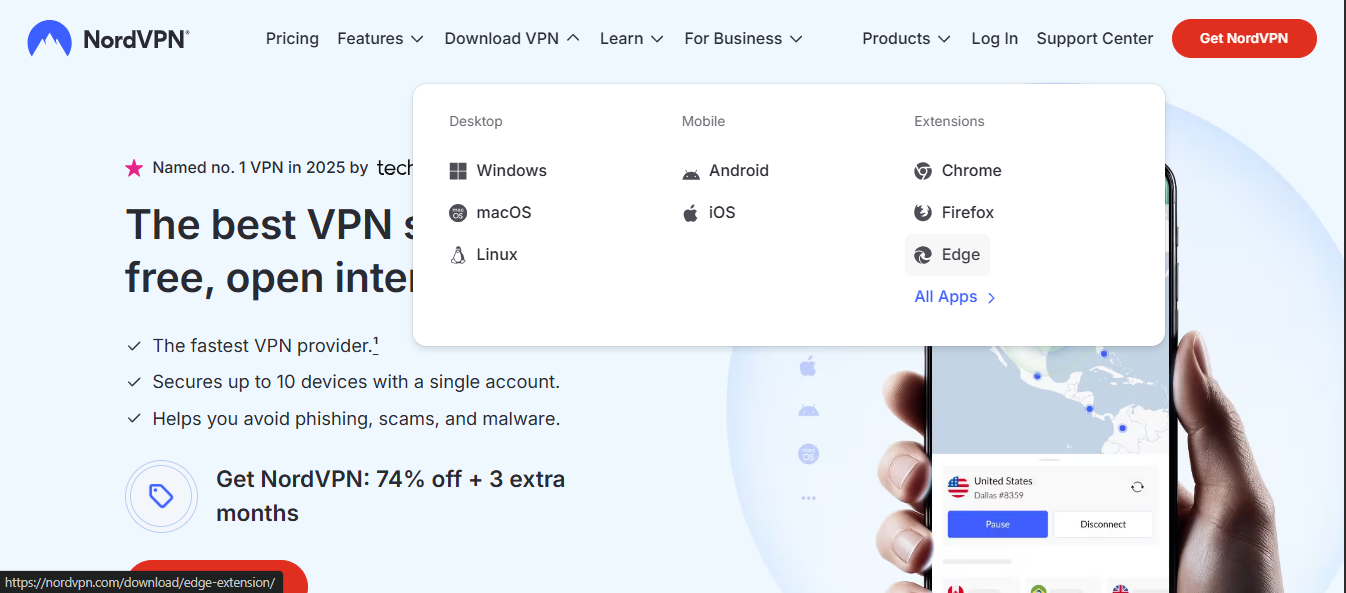
How to download and install the nordvpn app on windows 11: simple, direct answer—download the NordVPN installer, run it, and follow on-screen prompts to complete setup. Quick facts: NordVPN is one of the most popular VPNs worldwide, with strong encryption, a no-logs policy, and over 5,000 servers in 60+ countries. This guide breaks down the process into clear steps, plus tips to optimize performance, troubleshoot common issues, and answer frequent questions.


- Step-by-step quick start:
- Visit NordVPN’s official site and choose Windows.
- Download the NordVPN setup file.
- Run the installer and allow changes if prompted.
- Sign in with your NordVPN account or create one.
- Pick a server and connect.
- Optional: set up auto-connect and kill switch for extra protection.
- Quick tips:
- Use a fresh restart if you hit install errors.
- Ensure Windows 11 is up to date for best compatibility.
- Check for VPN conflicts other VPNs or firewall rules if you don’t connect.
- Quick tips:
Useful resources and references:
- Apple Website - apple.com
- Artificial Intelligence Wikipedia - en.wikipedia.org/wiki/Artificial_intelligence
- Windows Support - support.microsoft.com
- NordVPN Help Center - nordvpn.com/help
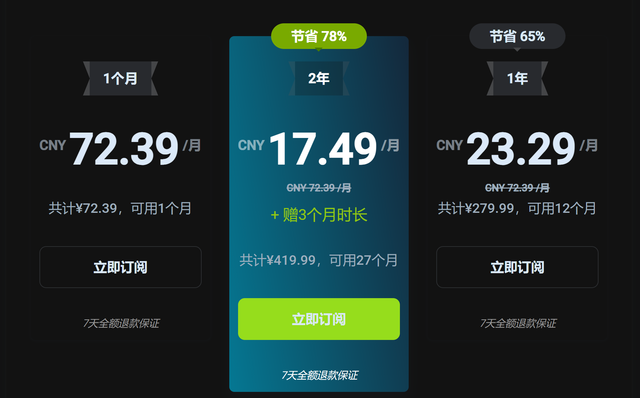
- NordVPN Pricing - nordvpn.com/pricing
Why choose NordVPN on Windows 11? NordVPN combines strong security, broad server coverage, and a user-friendly app that fits Windows 11’s modern UI. It uses AES-256-GCM encryption, OpenVPN and WireGuard NordLynx protocols, and a strict no-logs policy. In independent audits, NordVPN has shown robust privacy protections. Real-world stats: NordVPN offers over 5,000 servers across 60+ countries, supports split tunneling on Windows, and provides 24/7 live chat support. Why Your Azure VPN Isn't Working a Troubleshooter's Guide to Fixing Common Issues
What you’ll need
- A Windows 11 PC with admin privileges
- A NordVPN account subscription or a 7-day free trial if available
- A stable internet connection
- Optional: a secondary device for cross-checking IP location after connection
Downloading the NordVPN app on Windows 11
Where to download
- Always get the installer from the official NordVPN website to avoid scams or bundled malware. You’ll typically see a “Download for Windows” button on the homepage.
What the installer includes
- The setup file installs the NordVPN app, a system service for connection handling, and an optional browser extension depending on the package.
Network considerations Urban vpn google chrome extension a complete guide: Boost Privacy, Access, and Speed with SmartChrome VPN Features
- If you’re behind a corporate firewall or proxy, you might need to adjust settings or contact IT. Some networks block VPN ports, which can affect initial connectivity.
Installing the NordVPN app on Windows 11
Step-by-step installation
- Double-click the downloaded installer file usually named nordvpn_setup.exe or similar.
- If Windows asks for permission to make changes, select Yes.
- The installer will unpack files and begin the setup process.
- Choose your preferred installation options if prompted standard is fine for most users.
- When the installer finishes, you’ll see a launch option to open NordVPN.
First-run setup
- Sign in with your NordVPN account. If you don’t have one yet, you can create an account during setup or from the NordVPN site.
- You may be asked to allow the app to configure Windows firewall rules; approve this to ensure proper VPN traffic flow.
Basic settings you’ll want to adjust
- Connection protocol: WireGuard NordLynx is typically fastest; OpenVPN is good for compatibility in stricter networks.
- Auto-connect: Enable on startup if you want protection as soon as Windows boots.
- Kill Switch: Enable to block internet traffic if the VPN disconnects unexpectedly.
- DNS leak protection: Keep enabled to prevent your real DNS from leaking.
Connecting to a server How to download and install f5 vpn big ip edge client for secure remote access
- Open NordVPN and scroll through Popular servers or use the search bar to find a country or city.
- If you need streaming or P2P, NordVPN often has specialized servers labeled for those tasks.
- Connect with a single click; the app shows a status indicator when connected.
Troubleshooting common install and connection issues
Installer won’t run
- Check for Windows updates and restart. Disable antivirus temporarily if the installer is blocked, then re-enable after installation.
VPN won’t connect after installation
- Switch servers or change protocol NordLynx vs OpenVPN in Settings.
- Disable IPv6 in Windows network settings as a workaround for some network stacks.
- Ensure the NordVPN service is running in Windows Services services.msc and set to Automatic.
Slow speeds with VPN on
- Try a closer server smaller latency.
- Use the WireGuard/NordLynx protocol for higher throughput.
- Check background apps that might be consuming bandwidth.
IP address or location not changing Best Free VPN Extensions for Microsoft Edge in 2026: Quick Guide, Top Picks, Pros & Cons, and Safety Tips
- Clear DNS cache: open Command Prompt as admin and run ipconfig /flushdns.
- Reconnect after changing protocol or server.
- Verify your test site isn’t caching location data.
Split tunneling not behaving as expected
- Confirm the apps you want to route outside VPN are included in the split tunneling list.
- Some apps may require a restart to apply changes properly.
Security best practices on Windows 11 with NordVPN
Enable Kill Switch
- Keeps your IP from leaking if the VPN disconnects suddenly.
Use the NordLynx WireGuard protocol
- Generally delivers better speed and stability on Windows 11.
Keep the app updated Where is my ip location with nordvpn your complete guide
- NordVPN releases updates frequently to fix bugs and improve performance.
Regularly review permissions
- The app needs network permissions; review what’s allowed in Windows Privacy settings.
Use a strong NordVPN account
- Enable two-factor authentication 2FA if available.
Advanced tips
Auto-connect profiles
- Create profiles based on your location or app usage so you automatically connect in specific scenarios e.g., when on public Wi-Fi.
DNS settings Speedtest vpn zscaler understanding your connection speed
- Consider enabling DNS over HTTPS DoH in Windows and pairing it with NordVPN’s DNS to reduce privacy leaks.
Browser extensions
- If you use NordVPN browser extensions, remember they’re supplementary; the Windows app controls the VPN for all traffic.
P2P and streaming
- Some servers are optimized for P2P file sharing or streaming. If you’re not getting expected speeds, switch to a closer server or a server labeled for your use case.
Battery and performance
- If you’re on a laptop, check the app’s impact on battery life and adjust settings accordingly.
Multi-device strategy -NordVPN supports multiple simultaneous connections. Plan how many devices you’ll protect with your subscription.
Privacy and logging Nordvpn app not logging in fix it fast step by step guide
- NordVPN adheres to a strict no-logs policy and is audited by independent firms. It’s helpful to know the specifics, like no traffic logs and no metadata collection beyond necessary operational data.
Common misconfigurations
- Running two VPNs simultaneously can cause connection conflicts.
- Firewalls or antivirus with aggressive network filtering can block the VPN. Add NordVPN as an allowed app if needed.
Performance testing
- Use speedtest.net or fast.com to measure speeds with the VPN connected vs. disconnected.
- If speeds drop more than expected, try a different protocol or server.
Comparison with alternatives
Other top VPNs on Windows 11
- ExpressVPN, Surfshark, and CyberGhost also offer Windows apps with similar features kill switch, DNS protection, no-logs, but NordVPN often emphasizes a large server base and lower price per month with longer-term plans.
- Consider trial periods or 30-day money-back guarantees to compare performance side by side.
What to consider before buying Where is my location how to check your ip address with nordvpn: Quick Guide and Tips
- Server count and locations
- Privacy policies and audits
- Protocol options and performance
- Price, promotions, and refund policies
- Customer support availability
FAQ Section
Frequently Asked Questions
Do I need Windows 11 to run NordVPN?
NordVPN supports Windows 11 and Windows 10. The steps here are tailored for Windows 11, but the process is similar on Windows 10 with minor UI differences.
Can I install NordVPN on multiple devices?
Yes. NordVPN allows multiple simultaneous connections; you can protect smartphones, tablets, and desktops with a single subscription.
Is NordVPN safe to use for streaming?
Yes. NordVPN has servers optimized for streaming that help you bypass geo-restrictions while encrypting your traffic. How to Generate OpenVPN OVPN Files A Step by Step Guide: Mastering OpenVPN Configs, Keys, and Security
How do I update the NordVPN app on Windows 11?
Open the NordVPN app, go to Settings, and check for updates. Alternatively, download the latest installer from the official site and run it to update.
What protocols does NordVPN support on Windows 11?
NordVPN supports WireGuard NordLynx and OpenVPN protocols. WireGuard is typically faster and more reliable for Windows 11.
How do I enable Kill Switch on Windows 11?
In the NordVPN app, go to Settings > General or Security, then enable Kill Switch. You may be asked to grant firewall permissions.
Why is my IP address not changing when connected to NordVPN?
Try changing servers, switch to a different protocol, or clear DNS cache. Ensure there are no conflicting VPNs or firewall rules.
Can I use NordVPN behind a corporate firewall?
Often yes, but some corporate networks block VPN traffic. You might need to adjust proxy settings or request network changes from IT. How to Install and Use Urban VPN Chrome Extension for Basic IP Masking: Quick Guide, Tips, and Best Practices
How do I troubleshoot NordVPN connection drops?
Enable Kill Switch, switch servers or protocols, restart the app, and ensure Windows firewall isn’t blocking VPN traffic. If issues persist, contact support.
Is NordVPN still affordable for long-term use?
NordVPN’s pricing varies with promotions and length plans. Long-term plans usually offer better per-month pricing, and money-back guarantees let you test risk-free.
Endnote If you’re ready to secure your Windows 11 device with NordVPN, this guide has you covered—from download to confident, steady protection. For more in-depth tutorials, tips, and real-world usage stories, follow along with Smart City Diaries for the latest on privacy tech, security best practices, and VPN insights.
| VPN | Obfuscation | From / month | Plan | Free plan | Refund | Alipay | UnionPay | Crypto | Website opens in China | Trustpilot | |
|---|---|---|---|---|---|---|---|---|---|---|---|
 NordVPN | Turn on manually Obfuscated Servers / NordWhisper | $3.49/mo | 27 months: $94.23 | No | 30 days | ? | ✗ | ✓ | ✓ | ✗ Blocked | 4.2/5 (51,628 reviews) |
 ExpressVPN | ✓ On by default all servers | $3.00/mo | 28 months: $84 | No | 30 days | ✗ | ✗ | ✓ | ✗ | ✗ Blocked | 4.4/5 (29,706 reviews) |
 Surfshark | ✓ On by default Camouflage, with OpenVPN | See site | See site | No | 30 days | ✗ | ✗ | ✗ | ✓ | ✗ Blocked | 4.3/5 (31,823 reviews) |
 CyberGhost | Turn on manually selected servers | $2.19/mo | 28 months: $61.32 | No | 45 days | ✗ | ✗ | ✗ | ✓ | ✗ Blocked | 4.0/5 (24,178 reviews) |
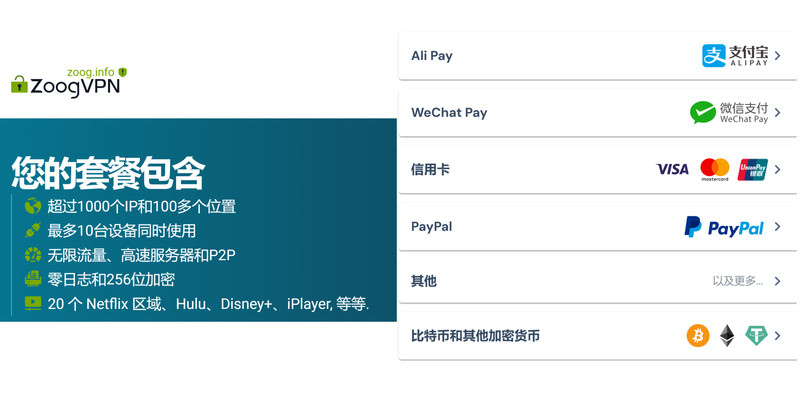
 ZoogVPN | Turn on manually Shadow | $2.49/mo | 27 months: $59.99 | Yes | 7 days | ✓ | ✓ | ✓ | ✓ | Official site blocked; our special link opens (4.4 s) | 4.2/5 (195 reviews) |
 Proton VPN | Turn on manually Stealth, free plan too | $2.99/mo | 12 months: $35.88 | Yes | 30 days | ✗ | ✗ | ✗ | ✓ | ✗ Blocked | 2.1/5 (1,040 reviews) |
 Astrill VPN | Turn on manually StealthVPN / OpenWeb | $12.50/mo | 24 months: $300 | No | See site | ✗ | ✗ | ✗ | ✓ | ✗ Blocked | 1.3/5 (110 reviews) |
 Private Internet Access | Turn on manually Shadowsocks, OpenVPN only | $2.03/mo | 40 months: $81.2 | No | 30 days | ✗ | ✗ | ✗ | ✗ | ✗ Blocked | 4.2/5 (11,033 reviews) |
 PureVPN | Turn on manually switch to OpenVPN | $1.69/mo | 60 months: $101.55 | No | 31 days | ? | ? | ✗ | ✓ | ✗ Blocked | 4.4/5 (17,994 reviews) |
 AdGuard VPN | ✓ On by default TrustTunnel | $2.99/mo | 24 months: $71.76 | Yes | 30 days | ✓ | ✗ | ✓ | ✓ | Official site blocked; our special link opens (3.7 s) | 4.3/5 (290 reviews) |
 Mullvad | Turn on manually QUIC / Shadowsocks / LWO | $5.61/mo | €5/mo | No | 14 days | ✗ | ✗ | ✗ | ✓ | ✗ Blocked | 3.2/5 (192 reviews) |
 Windscribe | Turn on manually Stealth / WStunnel | $5.75/mo | 12 months: $69 | Yes | See site | ✗ | ✗ | ✗ | ✓ | ✗ Blocked | 4.7/5 (13,355 reviews) |
 StrongVPN | Turn on manually Scramble, OpenVPN TCP | See site | See site | No | 30 days | ✓ | ✗ | ✗ | ✗ | ✗ Blocked | 4.4/5 (2,695 reviews) |
 LightXtreme 闪连 | Not listed | $7.08/mo | 12 months: $84.99 | Yes | 30 days | ✓ | ✓ | ✓ | ✓ | ✓ Yes (3.5 s) | No page |
Prices checked 2026-11-10 on each vendor's pricing page (cheapest long plan, USD). Check the vendor's checkout for the final price.
Obfuscation checked 2026-11-14 on each vendor's site and help center: "on by default" = nothing to set; "turn on manually" = switch protocol or mode in settings; "not listed" = the vendor describes no obfuscation.
Payment methods checked 2026-11-10 on each vendor's payment pages: all 14 take cards and PayPal; ✗ = not listed, ? = the vendor's own pages disagree.
China access: whether the official website opens from mainland China networks (tests the website only, not the VPN connection). Last checked 2026-11-18 01:02 Beijing time.
Trustpilot score and review count checked 2026-11-10.