Where to find openvpn profile location on your devices for quick connection
Where to find openvpn profile location on your devices for quick connection: Quick Guide, Tips, and Best Practices for VPN Setup
Where to find openvpn profile location on your devices for quick connection: that’s a question I get a lot when people start using OpenVPN. In this guide, you’ll get a practical, step-by-step path to locate OpenVPN profile files on different devices, so you can connect fast without digging through folders forever. Think of it as your quick-start cheat sheet, with real-world tips and common pitfalls to avoid.


Where to find openvpn profile location on your devices for quick connection: you already know you need an OpenVPN profile .ovpn file to connect, but finding it quickly can feel like a scavenger hunt. Here’s a fast, no-fluff rundown to save you time:
- Quick fact: OpenVPN profiles live where you saved them when you downloaded or exported them from your VPN provider’s site or app.
- What you’ll do: locate the file, import it into your OpenVPN client, and you’re connected in minutes.
- Formats you’ll see: .ovpn files, sometimes compressed in a ZIP, or stored inside a provider’s app sandbox.
- Common spots by device: Windows, macOS, Android, iOS, Linux, and routers.
- Pro tip: organize your profiles in a dedicated VPN folder so you can grab them in one click next time.
Useful URLs and Resources text only Apple Website - apple.com Android Developers - developer.android.com OpenVPN Community - openvpn.net NordVPN - nordvpn.com ExpressVPN - expressvpn.com Wikipedia – en.wikipedia.org/wiki/Virtual_private_network GitHub – github.com Reddit VPN communities – reddit.com/r/VPN TechRepublic – techrepublic.com How-To Geek – howtogeek.com
Why locating the OpenVPN profile matters
Having a quick access knowledge of where your profile lives saves you time and avoids last-minute fumbling during setup. When you’re choosing a network at a cafe or hotel, the last thing you want is to hunt for a file instead of connecting. Here are the practical reasons to master this:
- Speed: Import, connect, done.
- Portability: Move profiles between devices efficiently.
- Security: Keep a single, organized vault of profiles rather than scattering them.
- Troubleshooting: If the connection fails, finding the profile helps you confirm server, protocol, and credentials are correct.
Typical file types you’ll encounter
- .ovpn files: The main OpenVPN profile payload.
- .zip or .rar: Sometimes providers compress profiles for download.
- .ovpn files inside apps: Some providers store profiles in-app, not as standalone files.
- Certificate and key files: Occasionally, you’ll see separate .crt, .key, or TLS-auth key files.
Device-by-device: where to find OpenVPN profiles
Windows
- Default download folder: C:\Users<YourUsername>\Downloads
- Common VPN folder: C:\Users<YourUsername>\Documents\OpenVPN\config
- If you used the OpenVPN GUI: profiles often live in C:\Program Files\OpenVPN\config
- Steps to locate quickly:
- Open File Explorer
- Search for “.ovpn” in your user profile
- If you imported via OpenVPN GUI, check the config folder inside the program’s installation directory
macOS
- Standard downloads: ~/Downloads
- OpenVPN profile locations:
- If you downloaded directly: ~/Downloads or ~/Documents/OpenVPN
- If you used Tunnelblick: /Users/
/Library/Application Support/Tunnelblick/Configurations - If you used Viscosity: ~/Documents/Viscosity
- Quick tips:
- Use Spotlight search for “.ovpn”
- Look under Applications for the VPN app’s bundled config some apps store profiles internally
Linux
- Common places:
- /etc/openvpn/client/*.ovpn system-wide for client configs
- ~/.openvpn/.ovpn or ~/openvpn/.ovpn user-specific
- Quick search commands:
- find / -name "*.ovpn" 2>/dev/null
- ls -la /etc/openvpn/client/
- If you installed via NetworkManager:
- /etc/NetworkManager/system-connections/ might hold VPN connection files sometimes not in .ovpn format
Android
- Typical download behavior:
- Files go to Download or a VPN/Profile folder if your VPN app saved them
- How to access:
- Open Files app or a file manager
- Search for “.ovpn” or “OpenVPN” in the internal storage
- If you exported via the Android OpenVPN Connect app, you may re-import from the app’s “Import” screen pointing to Storage/Download
- Note: Some providers use their own app and store profiles in app-specific storage; you’ll usually export or reveal the file from within the app.
iOS iPhone / iPad
- OpenVPN profiles on iOS are usually handled inside apps:
- If you download an .ovpn file from a provider’s site, tap it and choose Open in OpenVPN Connect or your VPN app
- File location isn’t accessible directly in iOS as a visible filesystem, but:
- Profiles can be stored in iCloud Drive if you choose to export there
- In-app storage is common; you’ll import through the VPN app
- Quick action:
- Use the Share menu from the downloaded .ovpn file to import directly into your VPN app
Routers OpenVPN on routers
- Many people run OpenVPN on router firmware DD-WRT, OpenWrt, Asuswrt-Merlin
- Common file locations:
- You typically copy the .ovpn profile to the router’s web interface during setup, not using a typical file path
- For manual copy via SSH: /etc/openvpn/client/ or /tmp/config.ovpn depending on firmware
- Quick tip:
- Most router guides will tell you where to upload or paste the profile via the admin panel
NAS and other smart devices
- Some NAS devices Synology, QNAP can run OpenVPN client:
- Look for OpenVPN client apps in the package center
- Configs often stored in /volume1/@appstore/OpenVPN/config or /config/openvpn/
How to identify the right profile quickly
- Look at the file name: providers often name profiles by server location or purpose e.g., US-East.ovpn, UK-City.ovpn
- Check the server address inside the .ovpn: you’ll see lines like remote us-east.examplevpn.com 1194
- If your profile is password-protected, you’ll see a cipher for TLS auth and a separate auth-user-pass line
- If the profile references a certificate file, you’ll see ca, cert, key lines pointing to other files; make sure all referenced files are in the same folder or path
Importing and connecting: quick-step guide
- Importing an .ovpn file into a client:
- Windows/macOS: OpenVPN Connect or your VPN client → Import a profile → select the .ovpn file
- Android/iOS: OpenVPN Connect → Import Profile → from file or from email/drive
- Linux: OpenVPN client CLI → sudo openvpn --config /path/to/your.ovpn
- Router: Copy/paste the content of the .ovpn file into the router’s VPN client configuration, often via the admin UI
- First connection tips:
- Verify server you’re connecting to matches your desired location
- Check for username/password prompts; some profiles embed credentials, others require you to enter them
- If you see certificate errors, re-check the CA certificate path in the profile
- Common issues and fixes:
- Invalid profile: you may be using a stale or corrupted file; re-download
- TLS handshake failed: ensure the server supports the same protocol and port
- Authentication failed: confirm username/password or certificate validity
- DNS leaks: disable or enable the DNS option in your client depending on your setup
Security best practices for handling VPN profiles
- Store profiles in a secure location, not in publicly accessible folders
- Encrypt your device or container where you keep sensitive profiles
- Use unique, strong credentials and avoid reusing credentials across providers
- Keep your VPN client app up to date to mitigate vulnerabilities
- Regularly audit your saved profiles and delete the ones you no longer use
Performance and reliability tips
- Choose nearby servers for lower latency and faster speeds
- If a server is slow, switch to a different location or try TCP vs. UDP protocols if your provider offers that toggle
- Use automatic reconnect settings to maintain uptime during brief network drops
- Consider split tunneling if your provider supports it, so only specific apps go through VPN
- Test your IP and DNS leaks after connecting to verify the VPN is properly routing traffic
Advanced usage: multi-profile and scripting
- Keep a dedicated folder for all OpenVPN profiles, renamed clearly e.g., US-East, Germany-1, Asia-Pacific
- Use the CLI to switch between profiles quickly:
- Linux: sudo openvpn --config /path/to/US-East.ovpn
- Windows: create batch files to launch different profiles
- Scripted imports:
- Some providers allow downloading multiple profiles via API or a zip; extract to your profiles folder and cite server locations in predictable names
- Automation idea:
- A small script that lists available profiles, lets you choose one, and launches the corresponding VPN client
Real-world scenarios: quick connection examples
- Student on campus: you grab the university VPN profile from your student portal, import into your OpenVPN client, and connect in under a minute
- Remote worker: you keep a single secure folder on your laptop with all company-approved profiles; fast switch between work locations
- Traveler: you download profiles for your frequent destinations so you can connect to a region with fewer restrictions promptly
Comparison at a glance: where to find your profile across devices
- Windows: Downloads or C:\Program Files\OpenVPN\config
- macOS: ~/Downloads or ~/Library/Application Support/Tunnelblick/Configurations
- Linux: /etc/openvpn/client/ or ~/openvpn/
- Android: OpenVPN app storage or Downloads
- iOS: OpenVPN Connect import flow from the downloaded file
- Routers: UI upload or /etc/openvpn/client/ on devices with SSH
- NAS: /volume*/@appstore/OpenVPN/config or /config/openvpn/
Quick-start checklist
- Locate the .ovpn profile file on your device
- Ensure you have any necessary CA/cert/key files referenced by the profile
- Import the profile into your OpenVPN client
- Enter credentials if required
- Verify connection by checking your IP and DNS
- Save or bookmark the profile for easy access
- Consider organizing multiple profiles in a dedicated VPN folder
Troubleshooting quick tips
- Cannot find any .ovpn files: re-download from provider, or ask support for a fresh profile
- Import fails with “certificate invalid”: ensure CA cert path and certificate files are in the expected location
- Connection drops frequently: try a different server or switch to UDP if you’re on TCP, and check your local network stability
- DNS leaks detected after connection: enable DNS routing in the VPN client or use a DNS privacy option
Best practices for naming and organizing your profiles
- Use a consistent naming convention: --.ovpn e.g., US-East-UDP.ovpn
- Keep a master index file that lists server location, IP, protocol, and notes
- Back up profiles to an encrypted storage or a secure cloud drive with access controls
FAQ Section
| VPN | Obfuscation | From / month | Plan | Free plan | Refund | Alipay | UnionPay | Crypto | Website opens in China | Trustpilot | |
|---|---|---|---|---|---|---|---|---|---|---|---|
 NordVPN | Turn on manually Obfuscated Servers / NordWhisper | $3.49/mo | 27 months: $94.23 | No | 30 days | ? | ✗ | ✓ | ✓ | ✗ Blocked | 4.2/5 (51,628 reviews) |
 ExpressVPN | ✓ On by default all servers | $3.00/mo | 28 months: $84 | No | 30 days | ✗ | ✗ | ✓ | ✗ | ✗ Blocked | 4.4/5 (29,706 reviews) |
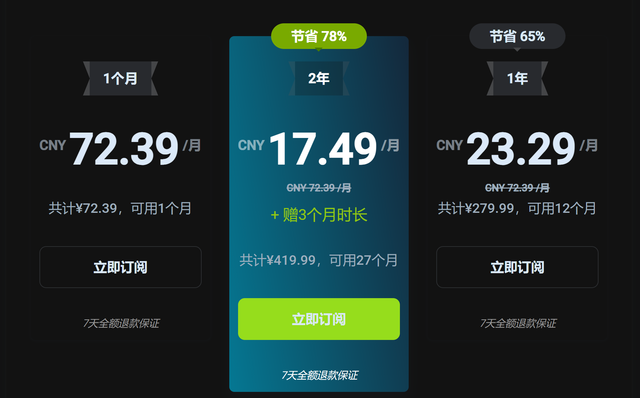
 ZoogVPN | Turn on manually Shadow | $2.49/mo | 27 months: $59.99 | Yes | 7 days | ✓ | ✓ | ✓ | ✓ | Official site blocked; our special link opens (4.4 s) | 4.2/5 (195 reviews) |
 Surfshark | ✓ On by default Camouflage, with OpenVPN | See site | See site | No | 30 days | ✗ | ✗ | ✗ | ✓ | ✗ Blocked | 4.3/5 (31,823 reviews) |
 Proton VPN | Turn on manually Stealth, free plan too | $2.99/mo | 12 months: $35.88 | Yes | 30 days | ✗ | ✗ | ✗ | ✓ | ✗ Blocked | 2.1/5 (1,040 reviews) |
 Astrill VPN | Turn on manually StealthVPN / OpenWeb | $12.50/mo | 24 months: $300 | No | See site | ✗ | ✗ | ✗ | ✓ | ✗ Blocked | 1.3/5 (110 reviews) |
 Private Internet Access | Turn on manually Shadowsocks, OpenVPN only | $2.03/mo | 40 months: $81.2 | No | 30 days | ✗ | ✗ | ✗ | ✗ | ✗ Blocked | 4.2/5 (11,033 reviews) |
 CyberGhost | Turn on manually selected servers | $2.19/mo | 28 months: $61.32 | No | 45 days | ✗ | ✗ | ✗ | ✓ | ✗ Blocked | 4.0/5 (24,178 reviews) |
 PureVPN | Turn on manually switch to OpenVPN | $1.69/mo | 60 months: $101.55 | No | 31 days | ? | ? | ✗ | ✓ | ✗ Blocked | 4.4/5 (17,994 reviews) |
 AdGuard VPN | ✓ On by default TrustTunnel | $2.99/mo | 24 months: $71.76 | Yes | 30 days | ✓ | ✗ | ✓ | ✓ | Official site blocked; our special link opens (3.7 s) | 4.3/5 (290 reviews) |
 Mullvad | Turn on manually QUIC / Shadowsocks / LWO | $5.61/mo | €5/mo | No | 14 days | ✗ | ✗ | ✗ | ✓ | ✗ Blocked | 3.2/5 (192 reviews) |
 Windscribe | Turn on manually Stealth / WStunnel | $5.75/mo | 12 months: $69 | Yes | See site | ✗ | ✗ | ✗ | ✓ | ✗ Blocked | 4.7/5 (13,355 reviews) |
 StrongVPN | Turn on manually Scramble, OpenVPN TCP | See site | See site | No | 30 days | ✓ | ✗ | ✗ | ✗ | ✗ Blocked | 4.4/5 (2,695 reviews) |
 LightXtreme 闪连 | Not listed | $7.08/mo | 12 months: $84.99 | Yes | 30 days | ✓ | ✓ | ✓ | ✓ | ✓ Yes (3.5 s) | No page |
Prices checked 2026-11-10 on each vendor's pricing page (cheapest long plan, USD). Check the vendor's checkout for the final price.
Obfuscation checked 2026-11-14 on each vendor's site and help center: "on by default" = nothing to set; "turn on manually" = switch protocol or mode in settings; "not listed" = the vendor describes no obfuscation.
Payment methods checked 2026-11-10 on each vendor's payment pages: all 14 take cards and PayPal; ✗ = not listed, ? = the vendor's own pages disagree.
China access: whether the official website opens from mainland China networks (tests the website only, not the VPN connection). Last checked 2026-11-18 01:02 Beijing time.
Trustpilot score and review count checked 2026-11-10.
Frequently Asked Questions
Where do I find the OpenVPN profile on Windows?
On Windows, profiles usually live in the user’s Downloads folder or in C:\Program Files\OpenVPN\config. If you used an OpenVPN GUI, check the config folder inside the installation path.
How do I import an OpenVPN profile on macOS?
If you downloaded the .ovpn file, you can open it with your OpenVPN client e.g., Tunnelblick or OpenVPN Connect. The app will import the profile, and you can connect from there. If you used Tunnelblick, look under /Users/you/Library/Application Support/Tunnelblick/Configurations.
Where are OpenVPN profiles stored on Linux?
Linux often stores client profiles in /etc/openvpn/client/ or in your home directory under ~/.openvpn/. If you’re using NetworkManager, the profiles might be under /etc/NetworkManager/system-connections/. Forticlient VPN Not Working on Windows 11 Here’s How to Fix It
Can I find OpenVPN profiles on Android easily?
Yes. They’re usually in your Downloads folder or a VPN-related folder after you export them from your VPN app. If you imported via the Android OpenVPN Connect app, you can find them within the app’s import flow.
How about iOS? Where do OpenVPN profiles live?
On iOS, profiles are managed inside the OpenVPN app. If you download an .ovpn file, you’ll be prompted to Open in OpenVPN Connect to import it. The file itself isn’t stored in a public path like Android or desktop platforms.
What if I can’t locate my profile after downloading?
Try a search for .ovpn in your device’s file system. You can also revisit the source where you downloaded it your VPN provider’s site and re-download to a known location, then import.
I downloaded a ZIP file. How do I get the .ovpn from it?
Unzip the archive and look for the .ovpn file inside. Sometimes the ZIP contains several profiles; extract to a known VPN folder and rename them clearly.
How do I know which server location a profile corresponds to?
Open the .ovpn file with a text editor and look for the line starting with remote, which shows the server address and port. The filename often hints at the location e.g., US-East, UK-London. Vpn nao conecta 7 causas comuns e solucoes passo a passo
Can I store my OpenVPN profiles in the cloud?
Yes, but be mindful of security. If you do, use encrypted cloud storage and enable strong access controls. Always keep a local backup in addition to any cloud copy.
What should I do if the profile references separate certificate files?
Make sure all referenced CA, cert, and key files are stored in the same directory as the .ovpn file or in the paths specified inside the .ovpn file. If any files are missing, re-download the full profile package from your provider.