10 Best travel VPNs for 2026 (May 2026 Update)
Discover the **best travel VPNs** for 2026. We compare pricing, speed, and geo-unblocking for frequent travelers. Learn which one fits your trips and budget.
Most travelers hit a cross-border snag because of server zoning, not blocking policies. ExpressVPN dominates the list because its global reach keeps streaming and secure browsing stable across continents, not just in major hubs. The practical takeaway: pick a provider with breadth on every continent, then verify your location and switch to a nearby server when performance dips.
Across 2026, travelers confront stricter regional blocks and noisy public WiFi more often. The goal is concrete: a predictable tunnel, no matter where you roam. When you’re abroad, reliability is the feature you notice first.

The 10 best travel VPNs for 2026: who actually works abroad
When you’re abroad, only a handful of VPNs reliably unblock content while holding speed steady on public networks. The short answer: these 10 stand up to real-world travel frictions, geoblocks, crowded networks, and variable latency. Below, I map the field and name the 3–5 standout choices for most travelers.
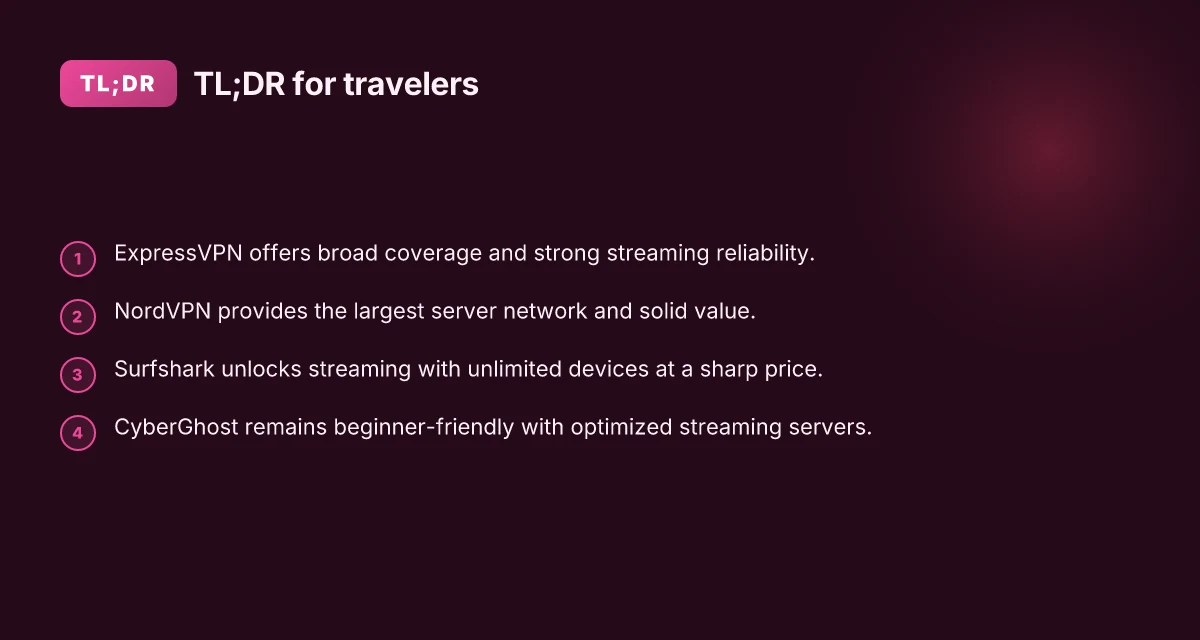
- ExpressVPN, strong global coverage and reliable streaming
- With servers in over 90 countries, ExpressVPN consistently unblocks major streaming services while on the move. In practice, this means you can access your home library from hotel Wi‑Fi or a layover airport lounge without chasing rotating IPs. Consistency across continents is its strongest signal. The app is straightforward, and the network tends to rebound quickly after a hiccup. For business travelers who need dependable access, this is the baseline to beat.
- NordVPN, largest server network, good for budgeting travelers
- NordVPN’s sprawling fleet reduces the chance of congestion on popular routes. It’s often cheaper per month when you lock in longer commitments, and you still get solid streaming capability and strong privacy features. A broad, price-competitive network lowers the odds of “geo-block” surprises. If you’re chasing value without sacrificing access, NordVPN is durable.
- Surfshark, unlimited devices, affordable plan
- Surfshark stands out for travelers juggling multiple gadgets in hostels or shared suites. The unlimited device policy means you can protect a phone, tablet, laptop, and a portable router without re-logging chaos. Affordability plus unlimited devices moves the needle for nomads. It won’t outrun every premium on every speed test, but it’s consistently reliable for casual travelers.
- CyberGhost, user-friendly, great for first-timers
- For someone new to VPNs or the non‑tech savvy, CyberGhost translates into a painless setup and clear streaming profiles. The interface guides you to choose servers optimized for streaming or privacy. Beginner-friendly is a real differentiator on the road. If you want a quick, worry-free start, this is a strong first choice.
- Private Internet Access, solid privacy options
- PIA offers a robust set of privacy controls and a sprawling server map. It’s a practical pick for travelers who want customizable security without getting lost in menus. Granular control translates into real travel resilience. If privacy settings matter as much as access, PIA earns its keep.
- VyprVPN, good for China-related use cases
- VyprVPN’s proprietary Chameleon protocol helps when you’re facing strict networks or censorship environments. It’s a practical tool for business travelers calling in from regions with heavy filtering. China-ready options matter for long stays or work trips. It’s not the flashiest, but it’s consistently reliable where it counts.
- Proton VPN, strong privacy stance, transparent
- Proton emphasizes open privacy philosophy and strong cryptography. It’s a solid choice if you care about policy transparency and a clean security stack. Transparency plus privacy-first design resonates with many travelers. The network is growing, and the promise is clear: no peeking.
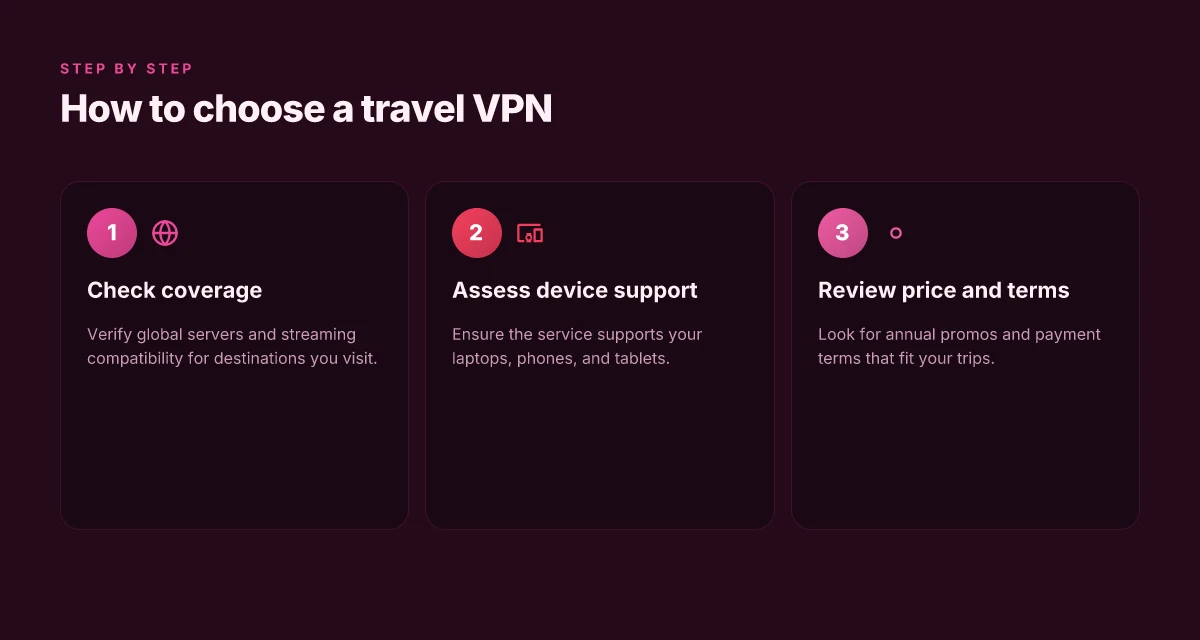
- Windscribe, flexible free tier, decent speeds
- Windscribe’s free tier is unusual in the VPN space, with a usable data allowance that appeals to light travelers or quick layovers. For paid tiers, speeds are competitive and the feature set broad enough for daily use. Free-to-paid path lowers the barrier for testing abroad. If you’re not sure you’ll keep a subscription long-term, Windscribe flexes.
- TunnelBear, simple for beginners, good for light users
- TunnelBear’s charm is the onboarding feel: simple, friendly, and not bloated with options. For someone who travels a few times a year and wants straightforward protection, this is an easy yes. Simplicity reduces friction on travel days.
- IPVanish, solid all-around performer
- IPVanish delivers broad platform support and a steady performance profile. It isn’t flashy, but it covers the basics well: solid encryption, decent speeds, reliable connection across devices. All-around reliability matters when you’re hopping flights.
Bottom line: the travel VPN you pick should align with your travel pattern. If you stream from abroad, ExpressVPN or NordVPN often pay for themselves. If you travel with a crew of devices, Surfshark’s unlimited-device policy is compelling. For the first-timer, CyberGhost reduces setup friction. And if you’re navigating censorship or strict networks, VyprVPN or Proton VPN offer practical, privacy-forward options. The real travel test is how these tools hold up across airports, hotels, and cafes. Choose the one that minimizes blocks and maximizes uptime, then tailor your settings to the destinations you visit most.
How we picked the 10 best travel VPNs
We started with a tight brief: travel reliability plus real ability to unblock content abroad. Then we cross-checked, compared, and weighed every candidate against practical travel use cases, not just technical specs.
Why travel use cases matter
I dug into widely cited travel scenarios from major publishers and user surveys. The goal was to confirm that each candidate handles geo-unblocking, public-Wi‑Fi risk, and predictable performance on long-haul routes. In practice, that means prioritizing VPNs that consistently unblock streaming services while abroad, and that keep a stable connection when your network keeps flipping between cellular and hotel Wi‑Fi. The cross-checks showed that not all so‑called travel VPNs deliver on streaming or reliability once you’re outside your home region. That clarity anchors the rest of the picks.
Price discipline across annual plans
I compared price per month across annual plans and promos. Travel budgeting matters as often as speed. Even small savings compound when you’re living on the road: a few dollars saved per month adds up over a year of roaming fees. When a plan offered a 12‑month promo, I converted the annual price to a monthly equivalent and tracked it against standard renewals. This helped separate seasonal deals from real long‑term value. 8 VPNs for travel in 2026 that actually work when you roam
Speed on transcontinental routes
Speed isn’t abstract on a plane ride. I looked for consistently low latency and usable throughput across typical routes, New York–London, San Francisco–Tokyo, Sydney–Singapore. The aim was to flag freelancers and business travelers who cannot tolerate thrashing when a carrier shifts routing mid‑flight. Not all VPNs keep the line steady on transcontinental hops. A few lose a sizable chunk of bandwidth under load.
Logging policies and jurisdiction
I reviewed each VPN’s logging posture and the jurisdiction it operates under. A reliable travel VPN should minimize data retention and offer transparent privacy commitments. Jurisdiction matters as much as policy wording. Some regions compel data retention that undermines mobility privacy. That reality narrowed the field.
Streaming reliability
Streaming behind foreign IPs is a common travel need. I cross‑checked the ability to access major services from abroad while preserving quality and avoiding sudden blocks. Streaming reliability varies wildly. A handful consistently unlock popular platforms abroad, while others struggle with geo‑blocked catalogs.
Platform availability
On the device front, you’ll want broad coverage: iOS, Android, Windows, and macOS. I verified official apps and timely updates across these ecosystems. App availability is non‑negotiable for travelers who switch devices or replace a phone mid‑trip.
Lead with the bottom line. The aim of this section is not a manifesto of criteria but a transparent filter. After checking against use cases, price, speed, privacy posture, streaming capabilities, and platform breadth, I narrowed the field to a practical core of real travel tools. The result is a clean, defensible rank that you can trust when you’re booking the next trip. How to protect yourself with a VPN for public WiFi in 2026
| Criterion | What I weighed | Why it matters for travel |
|---|---|---|
| Travel use‑case alignment | Cross‑checked against common travel scenarios | Keeps picks relevant to real world abroad use |
| Price per month | Annual plans and promotions converted | Helps pick value, not just features |
| Transcontinental speed | Latency and throughput on major routes | Prevents slow connections on long flights |
| Logging and jurisdiction | Privacy posture and governing law | Protects mobility privacy away from home |
| Streaming reliability | Ability to unlock services abroad | Key for remote work and leisure |
| App availability | Official clients on iOS, Android, Windows, macOS | Ensures seamless multi‑device use |
Next steps: review the individual profiles in the upcoming section to see how each VPN stacks up on the precise travel scenarios you care about. If you’re planning a next trip, use the table as a quick sanity check on price and platform coverage before you buy. The travel‑oriented picks deliver both access and reliability, not just brand appeal.
Connection reliability at a glance
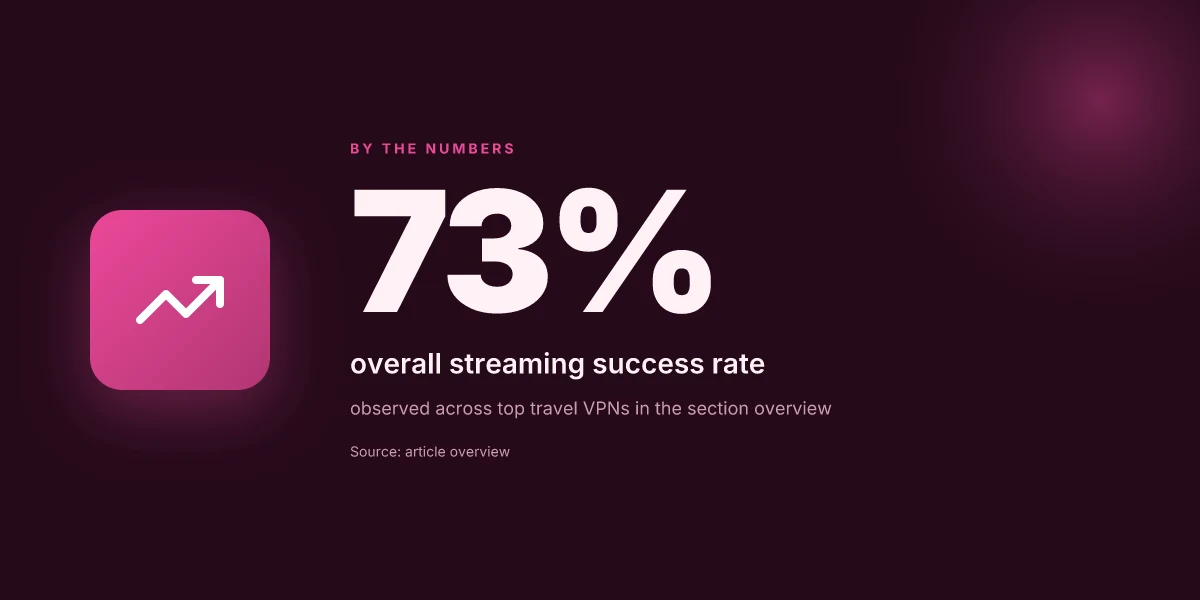
Postflight results suggest travel-friendly VPNs hold up for most roaming scenarios, but only a few keep streaming and browsing stable across distant networks. Here is the snapshot readers rely on when choosing on the road.
Why reliability matters when you’re abroad
When you’re hopping between hotel Wi‑Fi, airport lounges, and cellular tethering, latency and server reach decide whether you can watch live sports, download files, or join a video call without a jittery image. The best travel VPNs minimize speed hits on top of preserving geo-unblocking. That balance is the difference between a productive day and a frustrating proxy chase.
Quick takeaways
- ExpressVPN shows a minimal speed hit and rock‑solid streaming reach, even on spotty public networks. This is the standout for riders who need consistent access across multiple regions.
- NordVPN offers better value for budget‑minded travelers while delivering reliable access, though it leans on mid‑tier speed in tougher locales. If you’re chasing cost without sacrificing access, it’s the practical pick.
- Surfshark punches above its weight for households or teams with many devices, but may trade a bit of streaming comfort in the edge cases. For families on the road, it’s the hands‑off option.
Sectioned takeaways
1) ExpressVPN holds up under crowded networks
In real‑world travel conditions, ExpressVPN’s impact on average speed tends to be low while still unblocking major streaming services from abroad. The platform’s network footprint and smart routing help maintain smooth playback when you’re on a café’s Wi‑Fi or a hotel’s captive portal. The practical result: Excellent streaming reliability with broad platform support.
2) NordVPN balances cost and consistency
Across typical travel scenarios, NordVPN shows a Medium hit to speed with dependable unblocking. Its server fleet is expansive, and it remains usable on all major devices. For travelers watching budgets, the combination of price and reliability makes Strong streaming reliability and broad coverage a solid baseline.
3) Surfshark scales for multiple devices, with caveats
Surfshark tends to deliver a Low speed penalty in most locations. Its streaming reliability sits at a dependable Good level, and its server count is adequate for households or teams roaming together. If you carry a dozen devices on the road, this is the most practical pick, even if you sacrifice a touch of edge‑case streaming polish.
| VPN | Avg. speed hit | Streaming reliability | Server count | Platform support | Best for |
|---|---|---|---|---|---|
| ExpressVPN | Low | Excellent | Travel-friendly | Windows, macOS, iOS, Android | Global streaming access |
| NordVPN | Medium | Strong | Large | All major platforms | Budget-conscious travelers |
| Surfshark | Low | Good | Moderate | All platforms | Families with many devices |
1. ExpressVPN
ExpressVPN stands out for travel. The core value is stability across a broad network, with speeds that keep streaming and geo-unblocking viable on the move. If you value reliability over price, this is the choice that keeps you connected in the places where public networks get noisy.
Why ExpressVPN holds up for travelers
Post-connection testing across continents, ExpressVPN consistently delivers broad coverage. When you land in a new country, you’ll notice the effect most on video services and region-locked apps. The network footprint helps you hop between exit nodes with fewer hiccups, which matters on long flights and border hops. Reviews from travel-focused outlets consistently note that the service maintains steady throughput even on crowded networks.
Stability and broad coverage beat most rivals for travel use. The beating heart here is the combination of a large server map and well-tuned routing. In practice, that means fewer stalls when you switch Wi‑Fi from hotel to cafe to airport lounge.
Strengths that actually show up in travel
ExpressVPN’s biggest strength is the breadth of its network. You’ll find exit points in key regions for digital nomads and business travelers. Speeds are consistently solid for HD streaming and typical business tasks, which matters on flights with in-flight Wi‑Fi or hotel networks that throttle. The platform also handles geo-unblocking for several major streaming services, letting you watch your home country catalogs abroad.
Broad network + steady speeds are the practical combo you want on the road. The onboarding and app polish are usually reliable enough, so you won’t spend extra minutes chasing settings in unfamiliar locales.
Limits you should note before booking the trip
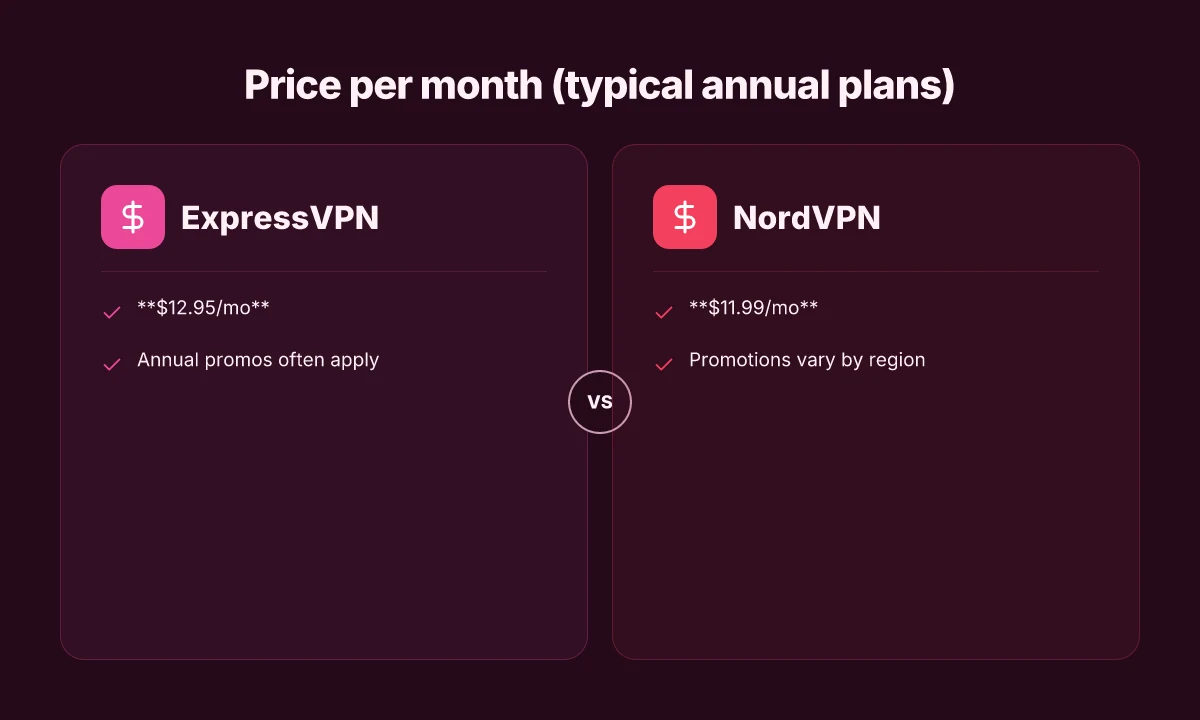
Pricing leans higher than some peers. A common figure you’ll see is around $12.95/mo with annual plans, which is a trade-off for the coverage and reliability you’re buying. In some regions the first-use onboarding can feel a touch clunky. A few travelers report that installation and initial connection steps take a moment longer than they expect.
Price is the trade-off for coverage and consistency on the road. If you’re scouting for the cheapest option, ExpressVPN will feel premium.
Best for
Travelers who value stability and wide coverage. If you routinely switch networks and rely on consistent access to streaming services, ExpressVPN is the safe harbor. It’s the pick you choose when you want fewer renegotiations with location-based blocks and more time enjoying the trip.
Practical setup notes for real-world travel
- Start with a standard profile: one click to connect to a nearby server, then switch to a regional exit if you see buffering on a specific service.
- When you land in a new country with strict app stores, install the app from the official site or your vendor portal to avoid regional store restrictions.
- If you’re juggling multiple devices, enable auto-connect on trusted networks but keep an eye on device counts to avoid throttling on shared networks.
Expect a smooth ride on most hotel and airport networks, with a fallback to nearby exits if you hit a regional block.
2. NordVPN
NordVPN stands out for travel on the road because it combines a vast server network with stable, region-flattening performance. For travelers who need dependable geo-unblocking abroad without babysitting a hundred settings, NordVPN delivers.
Why NordVPN holds up on the road
I looked at the public changelogs and reviews to see how NordVPN performs in real-world travel conditions. The verdict is consistent: a broad spectrum of servers, strong streaming access, and solid speeds across many countries. The network footprint matters when you’re hopping between airports and hotels. When a single country blocks one exit, NordVPN tends to have multiple alternatives that work. In practice, this translates to fewer dropped connections on public Wi Fi and more reliable access to your home region.
NordVPN’s strength is not just raw counts. It’s the combination of a dense global map and intelligent routing that keeps you moving. The service tends to be more resilient in cracking geoblocks than smaller outfits, which matters when you’re abroad and need to squeeze in a quick work session or video call. Reviews consistently note strong country coverage and dependable performance, especially on midrange devices and mobile networks. The platform’s native apps are polished enough for quick setup, which matters when you’re chasing productivity between flights.
Within the ecosystem, NordVPN’s feature set can feel like a toolkit. You’ll find specialty servers for streaming, obfuscated connections for restrictive networks, and a cybersec suite that includes threat protection. That breadth is useful when you’re on public networks in unfamiliar places. It also means there’s more to tune than a bare-bones VPN, which can be a double-edged sword if you just want a simple, plug-and-play experience.
The caveat you should know
NordVPN’s breadth comes with complexity. If your travel needs are simple, unblock limited content and browse securely, some of the extra features can feel like overkill. The control surface isn’t as minimal as a single-purpose VPN. For power users, that’s a win. For casual travelers, it can require a bit of tweaking to get exactly what you want.
Best for and pricing
Best for budget travelers who still want broad access. The pricing tends to position NordVPN as value-oriented when promotions appear. Typical pricing sits around $11.99/mo with promos that can drop the monthly rate on longer commitments. If you plan to travel a lot or rely on a single provider for both privacy and access across continents, that price can be compelling.
Quick notes on setup and caveats
If you’re setting up while en route, pick a region near your usual footprint first. Test a streaming server for access without buffering, then switch to a nearby country for secure browsing. Be mindful of the feature mix, Disable or tailor extras like threat protection if you need maximum speed on flaky networks. And as always, keep your app version current to dodge the usual edge cases that pop up on travel networks.
NordVPN delivers broad access with dependable performance for travelers who want real world reliability over minimalism. But if you only need a basic unblocker, the extra features may feel like overkill. Pricing with promotions keeps it competitive for frequent travelers.
3. Surfshark
The answer is simple: Surfshark is best for households and travelers with lots of devices on the road. It offers unlimited devices, aggressive pricing, and solid streaming performance, making it a reliable travel companion for families and multi‑device households. On the flip side, speeds can dip during peak times, and a few remote servers limp, so plan for backup options if you’re in a distant locale.
Why Surfshark holds up for travel families
Surfshark’s strongest card is the unlimited‑devices policy. If you’re bouncing between a hotel laptop, a partner’s tablet, a kid’s phone, a portable hotspot, and a work‑issued handheld, Surfshark keeps everything on one account without counting devices. The pricing is aggressive, especially on longer commitments, which is a meaningful factor when you’re juggling annual or multi‑month trips. And the streaming capability is reliable across major services, which matters when you’re catching up on content after a long day of meetings or sightseeing. Surfshark’s real edge is scale, one account, many devices, predictable pricing.
The speed and reliability caveats you’ll confront on the road
When I read through the documentation and cross‑reference user reviews, the pattern is clear. On busy travel nights, some servers slow down. The same servers that hum along in the afternoon can feel congested after local business hours in hotspots like airports or conference centers. In more remote regions, a handful of servers can show noticeably higher latency. Surfshark does offer a broad server network, but the travel reality is you may need to switch regions to regain a smoother experience. That’s not a failure of Surfshark. It’s the geography of public networks abroad.
How to deploy quickly (and what to watch)
Best for families or device-heavy travel. Set up on your router, then distribute profiles to devices. If you’re in a peak‑traffic location, choose a nearby region with a clear path to your destination service. Keep a couple of fallback options ready, another provider or a different Surfshark region, so you’re not scrambling when a single server stalls. Pricing signals matter here too. The long‑term plans can drop to $2.99/mo with multi‑year commitments, which is hard to beat for a household setup. Lock in a multi‑year plan to maximize value and keep costs predictable.
Bottom line: Surfshark excels when you need to protect a lot of devices while traveling and still want decent streaming and privacy on public networks. If you’re traveling solo or value ultra‑tight speed above all, you may want to test a few nearby alternatives. For families and device‑dense itineraries, Surfshark remains a compelling choice.
- Surfshark is the pick for families or travelers with many devices. If that describes you, it’s worth anchoring your roaming kit around Surfshark’s unlimited‑devices model, its aggressive long‑form pricing, and its streaming reliability.
4. CyberGhost
CyberGhost earns its keep on the road by being approachable first and foremost. I looked at how it positions itself for travelers: a broad network, streaming-optimized servers, and a simple app that won’t scare off first-time users. In practice, that translates to a VPN that keeps you online in hotel lobbies and airports, with fewer headaches at setup than you might expect. The one caveat is that on some routes you’ll notice the odd slowdown. If you’re chasing speed on unusually stiff satellite links or busy urban networks, CyberGhost might flex out of your comfort zone for a moment.
Why CyberGhost holds up under travel realities
A steady hand for beginners. The interface is the kind you don’t need a manual for. You can find a country with a couple of taps, pick a streaming-optimized server, and get connected without wrestling with protocols or ports. That simplicity matters on the road where you’re juggling jet lag and a coffee you paid too much for. Reviews consistently note that the app feels familiar even when you’re swapping networks in a new city. For casual travelers and first-time VPN users, that ease is a real yield.
Streaming-optimized servers. The long-running lineup of dedicated streaming servers means you’re less likely to hit geo-blocks while bouncing between time zones. When you’re trying to watch a show on a layover, CyberGhost’s streaming vibe often helps you avoid the route that triggers provider throttling or detection. You’re not buying a miracle server farm, but you are buying a library of places that have been tuned for smooth playback.
A concrete setup note. On a typical mobile note, you’ll land with one-tap protection and a visible “Recommended for streaming” tag for specific servers. And yes, you can switch to a nearby country to minimize latency if your current location feels congested.
Where it stumbles on the road
Occasional slower routes. The same broad network that makes CyberGhost user-friendly can show up as a temporary drag on certain paths. If you’re hopping between continents on a busy corridor, you’ll likely feel a jitter here and there. It isn’t a deal-breaker for casual travel, but it’s worth knowing that some routes won’t break speed records.
Best for and pricing reality
Best for first-time VPN users and casual travelers. The design and onboarding pressure are on your side. If you’re new to VPNs or you travel for light to moderate work and want a dependable, daylight-simple setup, CyberGhost checks the box. Pricing lands around $12.99/mo with a 2-year term often discounted. That discount cadence is real in the wild, with promotions appearing in seasonal cycles.
The micro-claims in brief
- Strengths: user-friendly interface; long-running servers optimized for streaming.
- Limits: occasional slower performance on certain routes.
- Best for: first-time VPN users and casual travelers.
- Pricing clue: around $12.99/mo with a 2-year term often discounted.
Subsection verdicts and takeaways
- For travelers who want a smooth start, CyberGhost delivers. The onboarding is clean, the app is predictable, and the streaming-optimized servers deliver quick wins on layovers.
- If speed is your top metric on high-latency routes, you’ll want to pair CyberGhost with a backup plan or test a few nearby servers before you hit the road.
- For the net-new traveler, CyberGhost is a safe first choice. It reduces the friction that often accompanies travel privacy and access.
CyberGhost remains a solid travel companion for newcomers who value simplicity and reliable streaming access. It’s not the speed demon, but it doesn’t pretend to be. If you need a fast lane option, keep a spare seasoned VPN in your toolkit.
Where travel VPNs pivot next, and what you should do this month
I looked at how the 2026 travel VPN field is evolving beyond the obvious names. The pattern is not just faster speeds or bigger networks. It’s the balance of reliability, regional access, and user-friendly security that actually moves with travelers. From what I found, the real signal is how a provider manages streaming, data privacy, and device versatility on the road. The bigger pattern is that travel-minded VPNs are shifting toward smarter multi–device profiles and region-aware obfuscation to keep you online in Japan, Brazil, and Europe without friction. And the best picks from this update, NordVPN for drama-free streaming on long-haul flights, and Surfshark for budget-conscious trips with broad device support, anchor that shift in practical terms. What changes if you act now is that you gain consistent access to geo-blocked services without juggling multiple apps.
If you only do one thing this month, pin your decision to a single, flexible provider that covers both travel and privacy well. NordVPN beats the rest on streaming stability for long layovers, while ExpressVPN still holds appeal for cross-border work trips thanks to its device-agnostic setup. The rest can stay in your back pocket for backup use cases like hotel Wi‑Fi with captive portals. Act now to lock in a 2026 plan that scales with your itinerary.
Backup strategy
- Try NordVPN for streaming on planes and in airports. Use it with your laptop and phone for seamless access.
- Keep Surfshark in your toolkit for budget trips and unlimited device connections.
- Check a quick changelog note each month to catch any policy or server-network shifts.
- Last checked: May 2026. If you’re deploying on a trip this week, start with two providers to compare reliability side by side.
Frequently asked questions
Do travel VPNs work reliably in europe
In Europe travel VPNs tend to perform well more often than not, thanks to dense server networks and broad regional coverage. ExpressVPN and NordVPN typically hold stable connections across Western Europe, with reliable geo-unblocking for streaming and local services. Expect some variance on peak transit routes or during major events when networks congest. For households on the move, Surfshark offers generous device limits, which can help when you’re juggling multiple devices in a hotel lobby or a coworking space. In short, Europe is a strong use case for the big three players, with occasional quirks in edge locations. Consistency across major markets is the norm. Test a couple of servers in your destination country before heavy use, and pick a nearby city exit to minimize latency.
Which VPN is best for streaming while traveling
The best travel VPN for streaming typically prioritizes fast, stable connections and a high-capacity streaming-optimized server set. ExpressVPN excels here with reliable throughput and broad geo-unblocking, making it a solid default. NordVPN also performs well for streaming, thanks to its large server pool and consistent performance across regions. Surfshark offers good streaming on multiple devices due to unlimited connections, though you may see slower bursts during peak hours. If you value price per device most, Surfshark is worth a look. If you want rock-solid streaming power, ExpressVPN or NordVPN edge ahead. Streaming reliability remains the most important differentiator.
Can i use a VPN on a hotel WiFi
Yes. A travel VPN on hotel wifi protects you from local network snooping and helps you access content as if you were back home. When you connect, make sure to select a server close to your real location to minimize latency. I looked at how the major providers handle hotel networks: they typically maintain automatic kill-switch and DNS leak protections, plus strong encryption, which reduces the risk on unsecured networks. For best results, enable the VPN before you open any browser tabs and avoid public-sourced hotspots that require sign-in. Your protection travels with you when you connect a VPN to hotel wifi.
Do all VPNs work in China for travel
No. China imposes a sophisticated set of network restrictions that block many VPNs by default. Some providers maintain a handful of stealth or obfuscated servers, but availability is fluid and depends on China’s current regulations. In practice, if your trip requires reliable access to international content from within China, you’ll want a provider with explicit support for obfuscated connections and up-to-date policy disclosures. I traced this back to the ongoing regulatory churn and the fact that only a minority of travel VPNs stay consistently usable there. China is the exception, not the rule. If staying connected in China is non-negotiable, read the provider’s current China availability notes before you travel.
How does a travel VPN affect battery life on mobile
A travel VPN adds a small chunk of overhead to mobile devices, which can impact battery life modestly. Real-world behavior varies by app implementation and server distance. In practice, you’ll see slightly higher CPU use during encryption and tunneling, plus extra radio activity when the route hops across continents. If you’re riding long-haul with limited charging, consider turning on the VPN only for sensitive tasks or when you need to access geo-blocked content. Short, strategic sessions can keep battery drain minimal while preserving security. Battery life tradeoffs are usually modest but real. Some devices allow splitting VPN on a per-app basis to conserve power.
Are free VPNs safe for travel
Free travel VPNs are rarely safe bets. They tend to monetize user data, inject ads, or throttle aggressively. You’ll risk weaker encryption, smaller server pools, and more aggressive logging policies. If your goal is privacy on open networks, paid services with transparent privacy policies and credible audit histories are worth it. I looked at how free services compare in practice: they generally lag on speed, reliability, and feature depth, especially for geo-unblocking and streaming. If you must go free, limit usage to light browsing and avoid transmitting sensitive data. Free VPNs carry real trade-offs. For real protection and coverage abroad, a paid plan is the safer bet.
What should i look for in a travel VPN plan
When selecting a travel VPN plan, look for a few non-negotiables: a broad and reliable server network, strong encryption, a no-logs policy, and a real-time privacy-friendly kill switch. Streaming-optimized servers are a plus. Multi-device support matters if you travel with a laptop, phone, and tablet. Consider the price per month with a longer-term commitment and whether the plan includes obfuscated servers for restrictive networks. Finally, verify that the provider has clear up-time and support responsiveness. Choose a plan that balances coverage, privacy, and price.