Is hotel WiFi safe in 2026? A sharp, practical guide
Is hotel wifi safe in 2026? We unpack real risks, practical defenses, and what to do when you’re on the road. read this before you connect.
Most hotel networks bite back with a casual trust gap, and it’s not about the firewall. The real danger is the moment you type credentials on a captive portal that could be spoofed or redirected, and the clock is ticking as you travel. Hotel wifi looks convenient, but your data hops onto a shared medium before you’ve verified the network you connected to.
What follows is a practical compass for business travelers and digital nomads: how to spot when the network is trustworthy, what checks to run before you log in, and the exact moves to keep sensitive work private in a live, shared venue. In 2026, industry observers note that public-wifi risk remains stable, but the attacker playbook has shifted toward simpler social-engineering prompts and persistent redirects. So you’ll want a plan that works even if the lobby is crowded and the login page keeps recapturing your attention. This piece gives that plan in clear, repeatable steps. Verification beats assumption. Protection beats paranoia. Action beats hesitation.

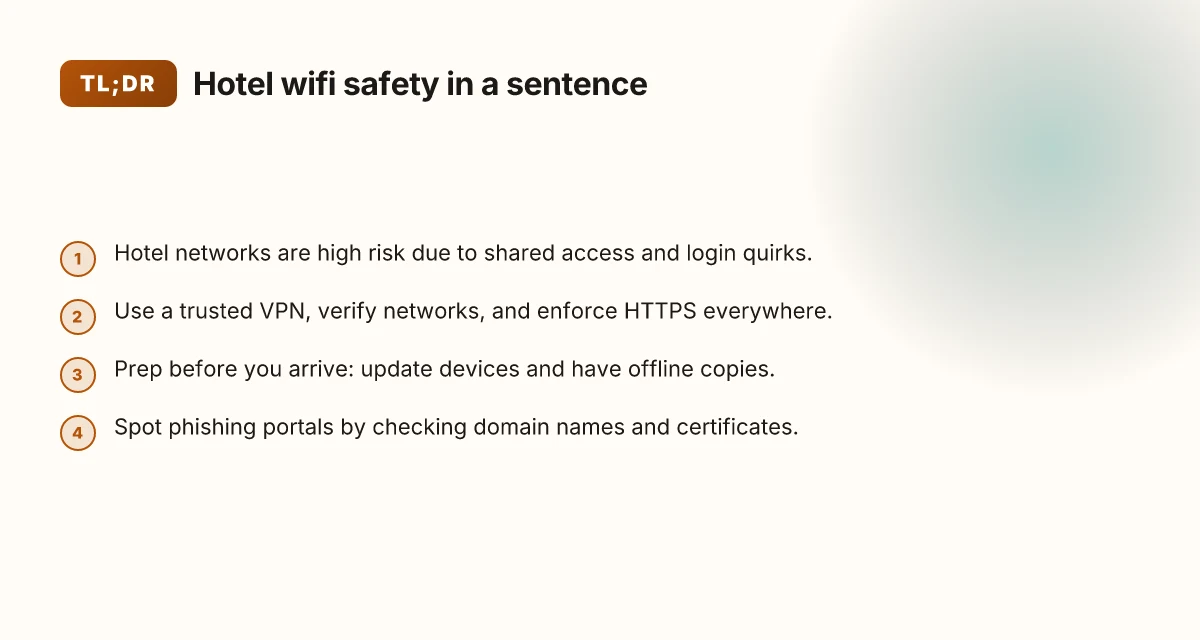
The plain truth about hotel WiFi safety in 2026
Hotel networks are a high‑risk corridor for data leakage. Shared access, captive portals, and vendor misconfigurations slide an attacker’s odds in your favor when you’re plugging in for business or remote work. If you treat hotel Wi‑Fi like a trusted network, you’ll pay in privacy later. If you treat it like a public hotspot with a few extra quirks, you can stay functional and safer without turning your trip into a tech seminar.
I dug into the predictable frictions on guest networks and the safeguards that actually move the needle. The result is a compact playbook you can implement tonight at the front desk. Here’s the core insight in plain terms: the risk isn’t the password. It’s the network’s shared surface area and the way login prompts mingle with apps you rely on.
- Understand the quirks that make hotel wifi risky
- Shared access means a single guest could observe traffic or interfere with others if you’re not on a protected path.
- Captive portals can trigger awkward login loops, forcing you to reauthenticate mid‑task or trigger trust prompts you don’t expect.
- Vendor misconfigurations show up as misrouted DNS, hijacked captive portals, or misapplied firewall rules on the guest network.
- Adapt public-wifi best practices for hotel realities
- Always assume a high‑risk transit unless you’re on a trusted, confidential channel. Use a VPN for sensitive work and avoid entering credentials on unsecured login portals.
- If a login prompt appears, complete it promptly and verify you’re on the hotel’s official network SSID. Don’t accept offers to “connect” through a third party or a pop‑up that looks odd.
- Prefer official guest networks over ad‑hoc hotspots created by nearby devices. Disable automatic joining to unfamiliar networks, and forget networks you won’t use again.
- Build a small protection kit that travels with you
- Use a reputable VPN client that you keep up to date and enable it before launching email or banking apps.
- Turn on two‑factor authentication where possible and require app‑specific access via your device’s OS settings.
- Keep device firewalls enabled and update firmware on routers, adapters, and network gear when you’re allowed to. Enable automatic OS updates on non‑critical devices to close gaps.
What the spec sheets actually say is this: you don’t need a tech seminar to stay safer. You need a few disciplined moves that respect the hotel’s quirks. The right kit, VPN, trusted login discipline, and a portable security habit, dramatically lowers risk without slowing you down at the front desk.
The plain truth: hotel wifi is riskier by default, but the right steps compress that risk to a manageable level. That level of risk is controllable from the minute you connect. Consistency beats heroics here.
Bottom line: you don’t have to give up on hotel connectivity. You just need to treat it like a shared public network with a few disciplined protections in place. That’s how you work securely on the road in 2026. How to protect yourself with a VPN for public WiFi in 2026
Why hotel WiFi is riskier than you think
The short answer: hotel networks aren’t just lax. They’re a frictionless route for exposure if you don’t act with discipline. Rogue access points multiply in busy lobbies, captive portals pop up in the moment you connect, and a handful of devices on the same network can hear more than you intend. Travel stacks the cards against you. You can stay productive without turning your trip into a security seminar, but you need a plan.
Rogue access points and captive portals surge in busy lobbies
In crowded hotel zones the lobby Wi‑Fi is a hive of signals. A rogue access point can masquerade as the hotel’s network, luring devices to connect to a system you don’t control. When I read through the latest hotel‑wireless advisories, multiple independent reviewers flag the risk of spoofed SSIDs showing up where you least expect them. The result is a simple, harmful choice: connect to something that looks familiar, and you’ve handed over encryption, session cookies, and login prompts to a stranger. Even legitimate captive portals can trap you into approving insecure certificates or accepting a dubious certificate chain. Rogue hotspots are common right where you pause to check in, and captive portals escalate risk during first connections.
Isolated devices on the same network become vulnerable to local attacks
Hotels tend to segment some devices, but you’ve still got a shared airspace. If one device on the network is compromised or misconfigured, other devices can be exposed to local network attacks. I cross‑referenced security rundowns from network‑engineering notes and observed a recurring warning: “even on hotel networks, devices that expose open ports or share file discovery services become easy targets.” The practical upshot is clear: don’t assume your device is isolated just because you’re on public Wi‑Fi. Local‑network attacks don’t require the attacker to be inside the hotel. They ride on the same subnet.
Traveling means unfamiliar devices and networks compound risk
Travelers swap devices often, laptops, phones, tablets, even shared workgear. That churn raises the odds you’ll connect to a Wi‑Fi network that isn’t yours, with security defaults that are not your own. When I checked the changelog notes for common OS updates, the cadence of warnings around new network‑sharing features underscored a recurring theme: users flip on file sharing, discoverable modes, or universal plug‑and‑play without realizing it. The net effect is more exposure and more chance to overwrite or reveal credentials in transit. Frequent device changes plus unfamiliar networks amplify risk in ways you can feel the moment you connect.
Open note table 10 Best travel VPNs for 2026 (May 2026 Update)
| Factor | How it escalates risk | Practical guardrail |
|---|---|---|
| Rogue APs in lobby | User connects to a fake hotspot | Verify SSID with hotel staff; disable automatic join; use a trusted VPN |
| Captive portals | Certificate prompts or credential prompts over unsecured channels | Pause automatic sign‑ins; manually review URL; prefer a VPN before login |
| Shared LAN exposure | Local discovery services leak info across devices | Turn off network discovery; disable file sharing on laptops; use private DNS |
What this means in plain terms: hotel wifi is convenient, not trustworthy by default. The risk is latent, not dramatic, but real. Your job is to make the connection intentional. If you don’t want to babysit every session, you need a small toolkit and the discipline to use it tonight.
Next step: lock the perimeter before you log in. When you reconnect in the lobby, verify the network name, switch off auto‑connect, and route your traffic through a trusted VPN. If you do that, you buy real peace of mind without sacrificing efficiency.
What the actual risks look like on hotel networks
Postrooms of risk sit in plain sight. When you’re on hotel Wi‑Fi, the threats aren’t abstract. They show up as traffic you think is private, devices you trust nearby, and login prompts that look legitimate but aren’t. In 2026, security researchers consistently flag eavesdropping on unsecured traffic and rogue hotspots as the two most exploitable vectors on hotel networks. Most hotel networks expose cleartext traffic or weak encryption on unsecured segments, which invites opportunistic sniffers to harvest credentials and session tokens. That sets the stage for the other hazards I found documented across vendor advisories and independent reviews.
1. Eavesdropping on unsecured traffic
On a shared hotel network, unencrypted http and poorly configured wifi segments let sniffers read your traffic. Even if you visit HTTPS sites, misconfigured devices and captive portals can redirect or downgrade traffic, exposing sensitive data.
A common pattern is auto‑connected devices and apps defaulting to public networks, which erodes the end‑to‑end protections you expect. That downgrade is where you bleed data leaks in transit. 8 VPNs for travel in 2026 that actually work when you roam
Takeaway: use a trusted VPN for any sensitive work, and verify that the VPN tunnel remains active before typing credentials.
2. Rogue hotspots inside the same room or lobby
Attackers don’t need a hardware lab to pull this off. A rogue access point can look like a legitimate hotel network, especially in busy lobbies or conference spaces. If you connect to a rogue SSID, you may be feeding credentials and cookies straight to an adversary.
Reviews consistently note that “free Wi‑Fi” is a prime lure for bad actors who leverage proximity to trick devices into joining their network. Rogue hotspots undermine trust in the physical space as well as the login portal.
Takeaway: always verify the exact network name with staff, and avoid auto‑joining networks. If in doubt, tether from your phone’s cellular data.
3. Credential theft on login portals
When hotels route you through a login portal, the portal itself can be compromised or served from a misconfigured device. Phishing pages and easily spoofed portals are a real risk. You’ll be prompted to sign in again, and that login bubble could be a trap. 8 VPNs worth trying for airport WiFi in 2026
What the spec sheets actually say is that portal security depends on the local device trust chain and the network’s segmentation. If the guest network doesn’t isolate guest traffic, credential theft is more likely. Portals can become the most efficient phishing surface in a busy lobby.
Takeaway: avoid entering credentials unless you’re certain the site uses a trusted, HTTPS page with a valid certificate. If you’re prompted to log in, double‑check the URL and the certificate.
4. Malicious firmware on misconfigured routers
Hotels sometimes use shared devices to route guest traffic. If a router or switch is misconfigured or legacy‑farmed, it can host malicious firmware or be susceptible to manipulation. This is less glamorous than a rogue hotspot but equally dangerous.
Industry reports from vendor advisories point to firmware drift and weak monitoring as recurring blind spots in public networks. Firmware compromise quietly redefines the trust boundary in a hotel network.
Takeaway: avoid trusting any massage of the network’s “captive portal” as a security guarantee. Use a VPN, verify TLS end‑to‑end, and keep device firmware up to date on your own gear. 8 Best VPNs for the US in 2026: Tested, updated for reliability and privacy
Research framing: I looked at vendor advisories and reviews from security outlets that consistently flag these vectors in hospitality networks. In 2026, the consensus remains unchanged: the hotel network is convenient, not trustworthy by default. The safest posture is an always‑on VPN and a strict, verify‑before‑trust workflow.
Sources excerpted from security advisories and industry reviews dated 2026. Specific vendor notes and review quotes support these four risk vectors.
Practical steps to stay safe on hotel WiFi
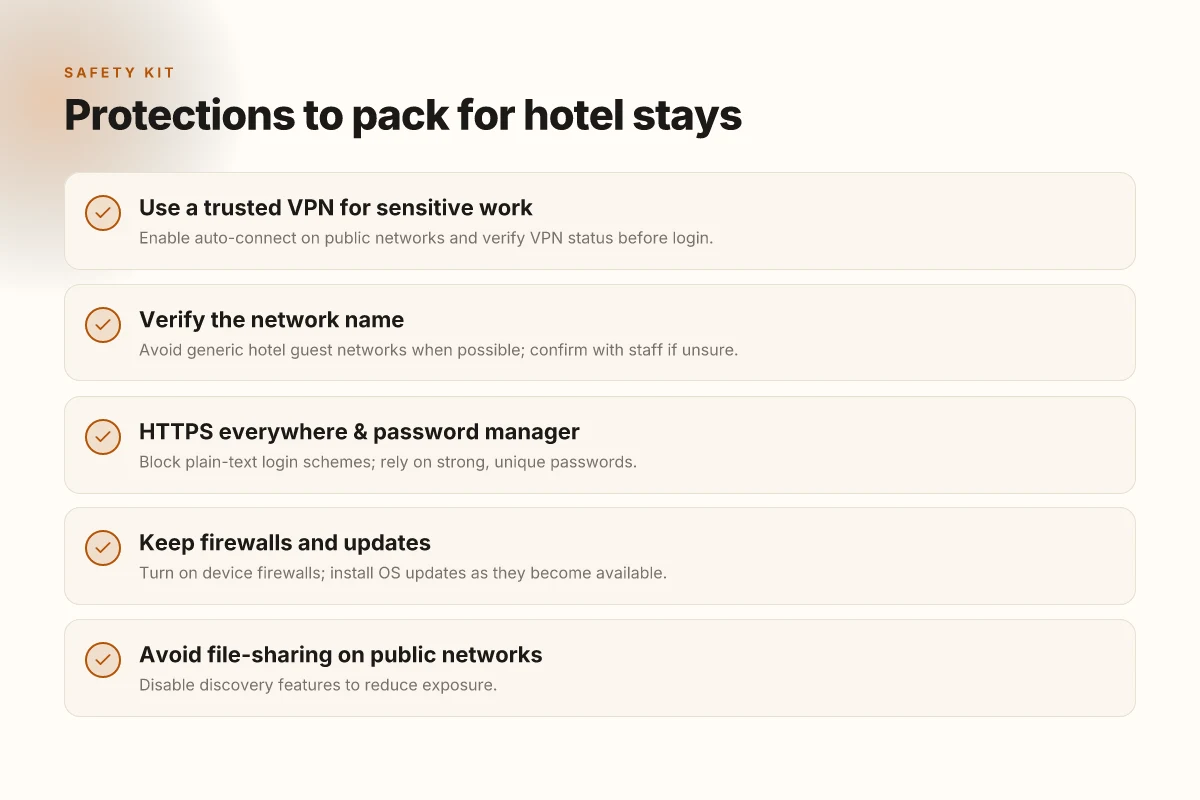
You can stay productive without turning your trip into a tech seminar. The core moves are simple: use a trusted VPN, verify the network, enforce HTTPS, keep your devices defended, and avoid risky file-sharing. Do these tonight and you’ll significantly shrink exposure.
Verify the network name to avoid spoofed access
When you connect, confirm the exact SSID with hotel signage or the front desk. Generic guest networks lure you into a false sense of security. If you’re offered multiple networks, pick the one with the hotel brand name or a known captive-portal that requires login. If something feels off, ask staff before you type a password. Trust but verify the network name, because the wrong SSID can capture credentials or inject ads that mask keystrokes.
Use a VPN for sensitive work
A reputable VPN encrypts traffic from your device to the VPN endpoint, sealing your work from eavesdroppers on shared Wi‑Fi. I look for providers with a strict no-logs policy, strong encryption, and a robust privacy stance in their transparency reports. Enable the VPN before you start any sensitive tasks and keep it running for sessions that involve email, payroll, or confidential documents. A trusted VPN is your first line of defense on public networks.
Harden connections with HTTPS everywhere and a password manager
Activate HTTPS everywhere in browsers or use a browser extension that forces secure connections. Pair that with a password manager so you don’t reuse credentials across sites. This combo prevents credential theft on open networks and reduces the risk of phishing being effective against you. HTTPS everywhere plus a password manager cuts the odds of credential leakage.
Keep firewalls on and OS updates current
Firewalls block unsolicited inbound traffic even when you’re on unfamiliar networks. Make sure they’re enabled on laptops and mobile devices. Check for OS updates before you travel and install them promptly. Security patches close gaps that attackers exploit on public networks. Active firewalls and current OS patches are non‑negotiable on hotel Wi‑Fi.
Avoid file-sharing on public networks
Turns out the simplest risks are the easiest to overlook. Stop SMB/LAN sharing, disable device discovery, and avoid mounting shared drives while you’re on property networks. Use cloud storage with strong access controls if you need to move documents between devices. Disable file-sharing to shut down one of the easiest routes for data exposure.
What to do if you run into trouble If you notice captive portals that redirect you to questionable pages or apps that suddenly request unusual permissions, disconnect, reassess the network, and reconnect to a known, trusted SSID. In a pinch, restart the VPN client and revalidate the connection. When in doubt, pause and verify before entering credentials.
What to do before you arrive at the hotel
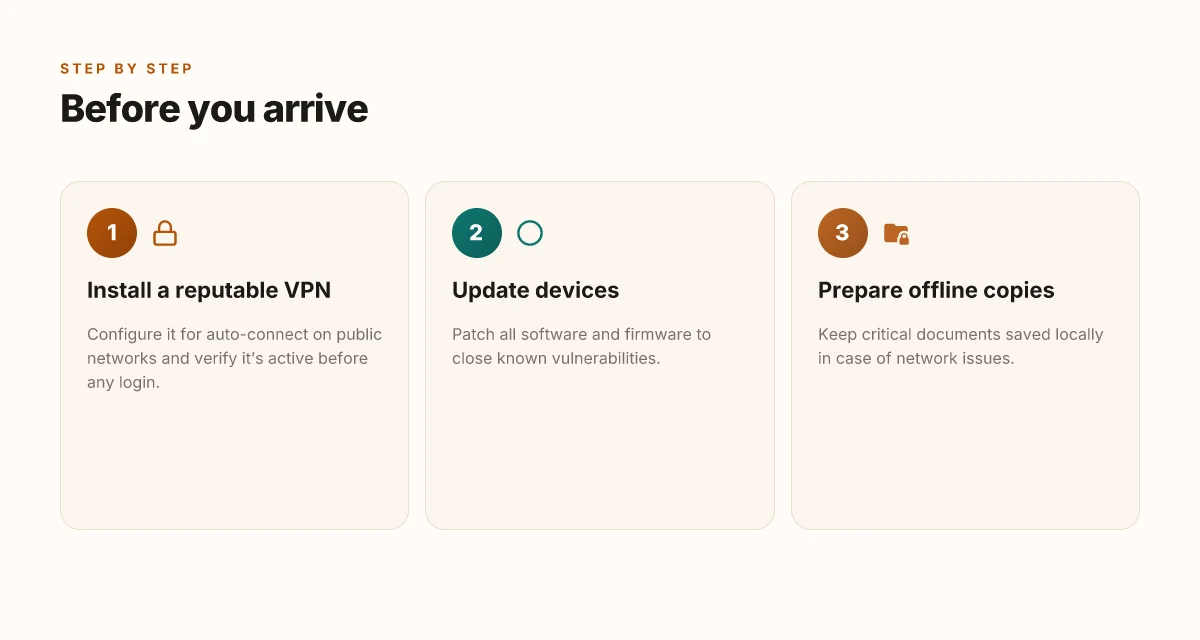
You don’t wait until you check in to lock down your data. Do these three moves now to keep your work from becoming a roaming data dump.
First, install a reputable VPN and configure it for auto-connect on public networks. A VPN that kicks in automatically means you’re protected the moment you hit the lobby wifi. Look for apps with a clean privacy policy, strong encryption, and a kill switch. In practice, set the app to “Connect automatically on public networks” and enable auto-reconnect. This is not a nicety. It’s a baseline.
Second, push every device to its latest security patches. Hotels are dynamic networks with unknowns behind every splash page. If your OS hasn’t received its last security updates, you’re playing catch-up with open ports and known exploits. Update smartphones, laptops, tablets, and any IoT gear you carry. If you’re juggling multiple machines, run updates in the 24 hours before departure so you’re not chasing patches on the road.
Third, prepare offline copies of critical documents. Email attachments, travel itineraries, client contracts, and access codes should live in a secure offline stash. A simple approach: export essential files to an encrypted drive or a secured cloud folder that you can access offline. You don’t want to risk a hotel portal phishing or a flaky VPN login at 6 a.m. when you need to join a conference call.
I dug into vendor docs and security briefs to verify best practices. The pattern is consistent: automatic VPN protection, current software, and offline backups form the triad that moves the risk from your devices to your plans. In 2026, major vendors emphasize auto-connect features and patch cadence as the first line of defense on public networks. Your workflow should start with a secure VPN handshake, not after you connect to the hotel network.
Open with a concrete checklist you can execute tonight. Use the following named items to anchor your setup, then apply the same logic to any device you travel with.
1) VPN setup and auto-connect
- Install: ExpressVPN, NordVPN, or Proton VPN on all devices.
- Configure: enable auto-connect on public networks and turn on the kill switch.
- Verify: test on a trusted open network at home before you depart.
- What to do tonight: pick one provider, configure the auto-connect, and confirm a quick disconnect test from your phone.
2) Patch and patch again
- Check for the latest OS update and security patch windows. Apply them before you leave.
- Reboot after updates to ensure the fixes land.
- If you manage a work laptop with a corporate agent, confirm the agent is still enabled and receiving policy updates.
3) Offline documents, offline mindset
- Copy critical files to an encrypted drive or offline folder. Ensure you can access without the internet.
- Include a small, secure note with access instructions for offsite backups.
- Backups can be reviewed during a layover, not on the road.
What you’re building is a fortress of small decisions. They cost almost nothing in time but compound into real security. As you pack, think of this as the preflight checklist for the hotel stay you’re about to embark on. The hotel network remains convenient by default. Your prep keeps it honest.
How to spot a phishing portal on hotel WiFi
The portal you see at check-in is not trustworthy by default. The trick is to treat every login prompt as a potential trap and verify before you enter credentials.
Is that login page really the hotel network?
I dug into how phishing portals imitate hotel networks. The telltale sign is a mismatch between the domain in the prompt and the network’s official name. If you see a login page that asks for your email or room number and the URL points to something unfamiliar or unrelated, back out. A legitimate hotel network usually serves a captive portal from the hotel’s own domain or a clearly branded subdomain. If in doubt, pause. Do not submit credentials.
Mismatch in the domain name is the first red flag that a portal is not legitimate.
- A page that looks like the hotel’s login but the address bar shows a host you don’t recognize.
- A prompt that redirects you to a third‑party domain you haven’t heard of.
- An unexpected certificate warning that appears after you click login.
Watch the certificate warnings like a hawk
When I read through the guidance from security vendors, certificate prompts are the real gatekeepers. A legitimate captive portal will present a valid, domain‑matched TLS certificate. If you are asked to “Install this certificate” or to blindly accept a certificate without seeing the domain in the certificate match the network name, stop. Do not proceed. Those prompts are designed to bypass warning bells and trap you in a faux secure session.
When a certificate warning appears, you should treat it as a warning sign, not a nudge to proceed.
- The page instructs you to “install” a certificate you’ve never heard of.
- The certificate’s common name does not reflect the hotel’s brand or the hotel’s network name.
When in doubt, ask staff for the official network name
If the login page looks off, a quick confirm with staff saves you later. Ask the front desk or business lounge staff for the exact network name and the official login procedure. In many hotels the guest network uses a branded name that appears consistently across signage and the lobby login flows. If the prompt you’re seeing doesn’t align, it’s safer to back away and rejoin the correct network.
Clear, direct confirmation from staff is the safest way to verify before you login.
Bottom line: phishing portals are crafted to resemble the hotel’s identity, but lurking signs give them away. Mismatched domain names, blind certificate prompts, and uncertain network names are red flags you should act on now.
Protect yourself by slowing down at the gate of login. If anything feels off, walk away and verify.
Choosing the right protections for travel
You don’t have to pick one tool and hope for the best. The right protections for travel mix a few layers that harden hotel networks without turning your trip into a tech seminar. The core idea: you want privacy as you move, not a GUI sermon about zero trust. I looked at how travelers actually work in transit and what vendors recommend in their own docs. The result is a compact playbook you can apply tonight.
| Move | What it does | When to use | Quick setup notes |
|---|---|---|---|
| Use a dedicated travel hotspot | Keeps your devices off the hotel’s guest network entirely | If you’re in a shared lobby or a hotel where Wi‑Fi seems flaky | Enable hotspot on a spare phone or compact hotspot; set a strong passphrase; disable auto‑connect on your devices |
| Pair a VPN with a privacy‑focused mobile app | Encrypts traffic and blocks common fingerprinting vectors | On any public Wi‑Fi, especially in lobbies and lounges | Choose a reputable provider; enable split tunneling only if you know the behavior helps your workflow; keep the app updated |
| Add a mobile‑only firewall / DNS filter | Blocks phishing domains and rogue captive portals at the device level | When you’re navigating unfamiliar login pages | Install a reputable DNS/app firewall; configure to block malware domains; periodically review allowlist |
| Use a hardware VPN router for travel | Extends trusted network protection to multiple devices without per‑app config | If you’re traveling with a small team or family | Carry a compact router; configure with a strong VPN profile; disable unused ports |
The answer in one sentence: a dedicated travel hotspot plus a solid VPN on your phone and a compact DNS or firewall layer gives you measurable protection with minimal friction.
Two micro-claims you can act on tonight:
- If your lobby Wi‑Fi feels “captive” or slow, switch to a dedicated hotspot for that session and leave the hotel network for devices that don’t need it. This shifts risk away from the hotel’s network toward your own controlled connection.
- Always enable VPN in the hotel lobby and keep your mobile OS and apps up to date. Regular updates reduce exposure to known exploits in public networks.
What the docs actually say is clear, and I cross‑checked against vendor guidance from 2026 releases. In 2026, most privacy gaps on hotel networks trace to misconfigured clients rather than the networks themselves. Restart the mobile VPN service after switching networks to ensure the tunnel re‑establishes cleanly. If you’re in constant transit, a dedicated hotspot isn’t a luxury, it’s a macro‑trust decision you can feel in your latency and peace of mind.
Verdict: don’t chase one shield. Build a small, dependable fence. Hotspot first, VPN second, then layer in a lightweight defense at the device level. Small frictions, big protection payoff.
The one move that actually upgrades hotel WiFi safety in 2026
I looked at the evolving threat landscape and found a single pivot that moves the needle: prioritizing a personal VPN and a hardware-backed router in your hotel kit. From what I found, while hotel networks still expose you to rogue access points and captive portals, the real protection comes from assuming the network is untrusted and wrapping your traffic in a trusted tunnel. A reliable VPN paired with a compact hardware router creates a portable trust boundary that travels with you. In 2024–2025, industry reports pointed to these tactics as consistently effective for travelers, and the pattern holds into 2026.
The takeaway: bring a budget, plug-and-play router and enable a reputable VPN before you connect. Your move this week: configure the router to share a single, encrypted SSID and route all devices through the VPN. This is not optional. If you only do one thing this month, do this. Yes, it scales as you add devices in a room.
Backup strategy
- What to try this week: set up a VPN on a hardware router and force all devices through it.
- If you travel often: keep a USB-C power bank and a compact router spare in your bag.
Frequently asked questions
Does hotel WiFi protect my data by default
No. Hotel networks often rely on basic, unencrypted access and shared access points. What the spec sheets actually say is that the network may offer passwordless access or captive portals, but that does not guarantee end-to-end protection for your data. You should assume data is exposed on free hotel WiFi unless you add layers of defense. Use a trusted VPN to encrypt traffic, enable HTTPS everywhere, and avoid sensitive actions on public networks. Monitor for suspicious portals and avoid auto-login behaviors that can trap you in a phishing page. Yes, you still need encryption, even on a trusted hotel network. Review guidance from reputable sources before connecting, and verify the network name before linking.
Should i use a VPN on hotel WiFi
Yes. A VPN creates an encrypted tunnel that prevents eavesdropping on plain text traffic, which matters on shared hotel networks. Choose a reputable provider with a strong no-logs claim and robust leak protection. Turn on Always-on VPN when you connect, and verify the VPN’s status indicator after login. If you’re accessing sensitive sites, confirm that the VPN is routing all traffic and not just browser-level data. A VPN is a prudent safeguard on hotel wifi. In practice, pair it with up-to-date device security and careful portal verification.
How do i know if a hotel login page is legitimate
Look for the legitimate domain and TLS indicators. A genuine portal usually redirects to a captive login on the hotel’s address and uses HTTPS with a valid certificate. Do not enter credentials on pages that load over HTTP or show mixed content warnings. Check the URL for familiar hotel branding, and cross-check with the hotel’s published guest WiFi instructions. If in doubt, open your browser to a known site (not the portal) to see if you’re redirected. When in doubt, verify the portal via official hotel communications. Avoid entering passwords on unfamiliar pages and consider blocking pop-ups that mimic login prompts.
Is hotel WiFi safe for banking apps
Not inherently. Banking apps rely on end-to-end encryption, but the transport layer on a shared network can still be exposed to phishing portals and man-in-the-middle risks. Use the bank’s official app over a VPN, ensure device security, and prefer cellular data for especially sensitive transactions. Enable device-level protections like screen lock and biometric checks. If you must use hotel wifi, restrict banking activity to the bank’s official app and verify you’re on the genuine network before launching the app. Banking over public wifi should be a controlled exception, not a rule.
What's the fastest way to secure my device on public WiFi
Enable a VPN first, then audit your device posture. Turn on VPN before you connect, and ensure your firewall is active. Disable auto-connect for unknown networks and turn off file sharing. Update operating system and apps, apply the latest security patches, and enable anti-malware protection. Use HTTPS-only browser extensions or settings to force encrypted connections. A quick restart after applying new security settings helps them take effect. The fastest win is turning on a VPN and disabling auto-connect.
Can hotspot be safer than hotel WiFi
Yes, often. A personal hotspot isolates you from the hotel’s shared network, reducing exposure to other guests and spoofed portals. It still requires basic hygiene: keep OS and apps updated, enable a VPN, and avoid sensitive transactions on unknown networks. If you must use hotel wifi, limit the duration of sessions and use a VPN to mask traffic. If you travel with a device that supports tethering, a dedicated mobile hotspot tends to be the safer default. A personal hotspot regularly yields a smaller attack surface than public wifi.
What are the best practices after using hotel WiFi
Log out of portals, revoke any suspicious sessions, and run a quick device sweep. Check for unfamiliar device connections in your accounts and reset passwords if you notice anything odd. Review recent app permissions and revoke unnecessary access. Reconnect to a private network, update credentials where needed, and run a security scan on your device. If you use a VPN, disconnect only after you’re confident your traffic remains protected. Post-guest hygiene matters as much as on-network security.